Best AI Fashion Model Generators for Clothing Brands (2026)
23 min readThis list is published by Fash Studio. We included our own tool, checked every price on each vendor's own page on 26 November 2026 and explain where other tools are a better fit.
What you'll find in this article
- What are the best AI fashion model generators in 2026?
- How do the best AI fashion model generators compare?
- How did we compare these AI fashion model generators?
- What are the 8 best AI fashion model generators, tool by tool?
- How much does one AI on-model photo actually cost?
- Should you use ready-made AI models or your own brand model?
- Can AI fashion models show plus size bodies, different ages and skin tones?
- What pricing traps should you check before you subscribe?
- Do you need to disclose AI-generated models?
- Which AI fashion model generator should you choose?
- Frequently asked questions
The best AI fashion model generator depends on the job you need done most. Fash Studio fits brands that want one brand model across photos, videos and ads. FASHN AI has the lowest entry cost per image, Rawshot AI the largest model library, WearView the most catalog studios and Botika 4K output from a large library. One 2K on-model photo costs about $0.16 to $0.74 on the plans compared.
Key takeaways
- Fash Studio is best for fashion brands that want on-model photos, product videos and UGC ads from the same product photo, with a choice of leading AI models in one subscription.
- One 2K on-model image costs about $0.19 on FASHN AI Basic, $0.34 on Fash Studio Basic, $0.56 on Rawshot AI Starter and $0.71 on Botika Personal, before retries.
- Your own brand model is included on every plan in Fash Studio and Rawshot AI, from the Pro plan in WearView and only on Enterprise in Botika.
- Resolution can depend on the plan: Photoroom's AI Fashion Models give 1K on Pro, 2K from Max and 4K only on Ultra.
- Several vendors show a monthly price that is billed yearly, so check the billing period before you compare plans.
What are the best AI fashion model generators in 2026?
The best AI fashion model generators in 2026 are Fash Studio, Botika, FASHN AI, WearView, Rawshot AI, Photoroom, Claid.ai and ImagineArt AI Fashion Studio. Each one is the best fit for a different kind of clothing brand:
- Fash Studio: best for fashion brands that want one brand model across photos, videos and ads.
- Botika: best for apparel brands that want a large ready-made model library and high resolution.
- FASHN AI: best for the lowest cost per on-model image, with an API.
- WearView: best for catalog studios in one place: ghost mannequin, flat lay and pose changer.
- Rawshot AI: best for detailed shoot control over poses, frames and makeup, with up to four products per image.
- Photoroom: best for stores that sell many product types and need editing tools next to virtual models.
- Claid.ai: best for automated pipelines and an API for large catalogs.
- ImagineArt AI Fashion Studio: best for lookbooks with a saved model inside a general AI creative platform.
Lalaland, often listed in older roundups, is now part of Browzwear and sold to enterprise teams on request.
How do the best AI fashion model generators compare?
The eight tools differ most on how many ready-made models they include, which plan unlocks your own model and whether that model can move into video. The table uses what each vendor's own site stated on 26 November 2026.
| Tool | Ready-made models | Your own model | Same model in video | Max image resolution | Video | API | Trial or refund | Entry price |
|---|---|---|---|---|---|---|---|---|
| Fash Studio | 56 | Every plan, 17 credits | Yes, in Create Videos and UGC Try-On | 4K, every plan | 23 models, up to 30 s | No public API | No trial, 30-day refund | $15 a month, billed monthly |
| Botika | 150+ | Enterprise only | 5 s video from any image | 4K | 5 s clips | Enterprise only | 7-day trial, 300 credits | $20 a month, billed $240 yearly |
| FASHN AI | Not stated | Create Model tool | Short clips from images | 4K | 720p on Basic, 1080p on Pro | Yes, priced separately | 10 free credits, no refunds | $19 a month |
| WearView | 20 on Lite, 250+ on Pro | Pro and up | Pro and up | 4K | 16 motions, 1080p and 4K | On request | No trial, 14-day refund | $29 a month, or $290 a year |
| Rawshot AI | 1,243 | Every plan | One 10 s clip per image | 4K | 720p or 1080p, silent | Not listed | 7-day trial, 50 credits | $9 a month |
| Photoroom | Varied gender, ethnicity, age and body | Saved to Brand Kit | Video on Max and up | 1K on Pro, 2K on Max, 4K on Ultra | Max and up | Yes | Trial, refund within one week | Not shown, billed yearly |
| Claid.ai | 100+ | Not stated | Not stated | Not stated | Yes | Yes, priced separately | Free trial credits | Not shown |
| ImagineArt | Stock faces, XS to 4XL | Saved model | Clips from catalog images | 4K | Yes | Not stated | "Start free" | Not shown |
How did we compare these AI fashion model generators?
We compared these tools based on official documentation and pricing pages, checked on 26 November 2026. We did not run side-by-side generation tests, so this list makes no claims about which tool keeps a garment most accurate.
Each tool was scored on six points a clothing brand needs to know before paying:
- Model library: how many ready-made AI fashion models are included, and on which plan.
- Your own model: whether you can create your own AI fashion model and keep a consistent face, and which plan you need.
- Video: whether the same model can appear in product videos and ads, not only in still photos.
- Resolution by plan: the highest output size, and whether a cheaper plan caps it.
- Cost of one output: the dollar cost of one 2K on-model photo, worked out from plan price and credits.
- Trial and refund: how you can test a tool before you commit.
Fash Studio is on this list and is placed first for one specific use: brands that want the same brand model in photos, videos and ads. Each profile, including ours, ends with where the tool falls short. For tools beyond model generation, such as background editing and video ads, see our wider list of AI fashion tools for e-commerce.
What are the 8 best AI fashion model generators, tool by tool?
Each AI model generator for clothing below follows the same order: best for, what it does, pricing on 26 November 2026, what one image costs and where it falls short. Costs are plan price divided by credits, times the credits one image uses.
1. Fash Studio
Best for: fashion brands that want one brand model across photos, videos and ads.
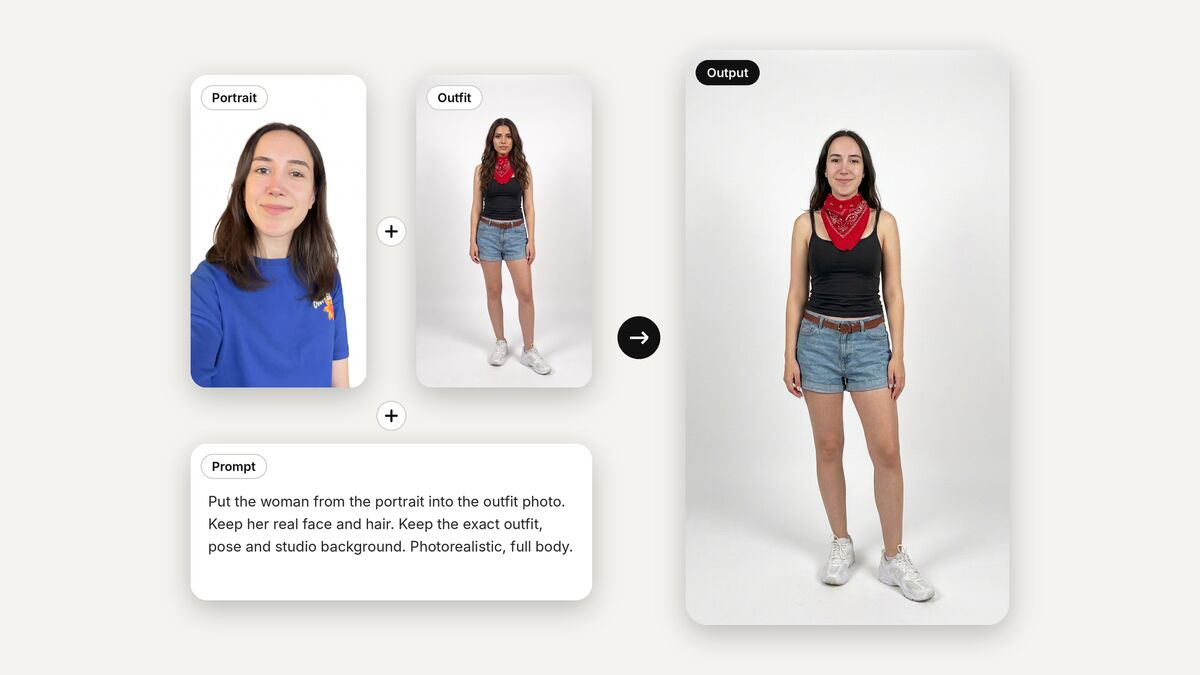
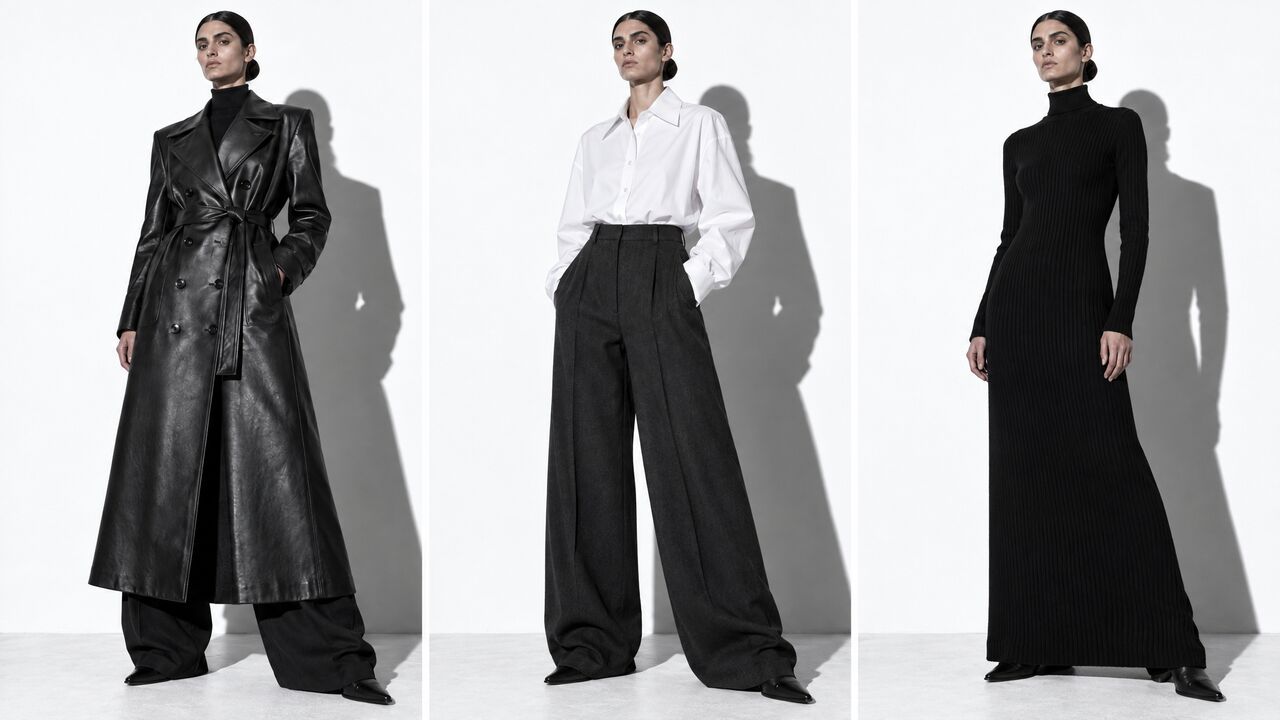
What it does: Fash Studio dresses a model in your product from the photo you already have. A flat lay, a hanger shot, a ghost-mannequin shot or an on-model photo goes into AI virtual try-on, with up to 13 garment images in one run, shoes and accessories included. You pick from 56 ready-made models, 28 scene presets and 29 poses, so no prompt is needed.
Same model from photo to video and ads: the model you use in Try-On can also be uploaded as the start image or reference in AI product video generation, which runs 23 video models with clips up to 30 seconds, and in UGC Try-On, where an AI creator wears your product on camera. Other tools in this list stop at short clips: Botika prices video per 5 seconds, and Rawshot AI makes one silent 10-second clip per image.
Your own brand model on every plan: the AI Fashion Model Generator creates a brand model for 17 credits. You choose gender, age (18 to 25, 26 to 40 or 40+), one of 6 ethnicities, a slim, average or plus-size body and hair, which gives 324 preset combinations. The result is a 2K studio portrait saved to My Models in Try-On. Use only people and photos you have the rights and consent to use.
Start from ads that already work: the Examples library is built from fashion ads that are running and scaling on Meta. Recreate loads the full setup of an example, so you apply it to your own product. Try-On also runs from AI assistants such as Claude through MCP.
Pricing (26 November 2026): Basic is $15 a month for 700 credits, Starter $49.99 for 3,700 credits and Pro $129.99 for 10,200 credits, billed monthly. Yearly billing lowers these to $10.75, $39.99 and $99.99 a month. Every plan includes all image and video models and commercial use rights.
What one image costs: a 2K try-on uses 16 credits: about $0.34 on Basic, $0.20 on Pro and $0.16 on Pro billed yearly. A 4K try-on uses 32 credits, about $0.69 on Basic. A brand model costs about $0.36 on Basic.
Where Fash Studio is not the best choice
- Library size: 56 ready-made models. Rawshot AI (1,243), WearView (250+) and Botika (150+) offer more.
- No trial: the first subscription payment can be refunded within 30 days, but there are no trial credits. FASHN AI, Rawshot AI, Botika and Claid.ai let you start with trial credits.
- No public API or Shopify app: FASHN AI, Claid.ai and Photoroom offer an API.
- No ghost mannequin or flat lay output: WearView, Botika and Photoroom create those catalog formats.
- Adults only: no child models in the library or the generator.
- Entry-plan image cost: FASHN AI Basic is cheaper per 2K image ($0.19 against $0.34 on Fash Studio Basic). Fash Studio reaches about $0.20 on Pro.
- No rollover: unused credits do not carry over to the next month.
2. Botika
Best for: apparel brands that want a large ready-made model library and high resolution.
What it does: Botika turns flat lay, ghost-mannequin and existing product photos into on-model and editorial images, with a Studio Director agent on every plan. It lists more than 150 AI models, and the Personal plan includes the full library of models, poses and backgrounds. Images go up to 4K, and 8K is listed as coming soon. A 5-second video can be made from any image.
Pricing (26 November 2026): Personal is $20 a month billed $240 yearly for 10,080 credits, Pro $48 a month ($576) for 26,400 and Max $80 a month ($960) for 48,000, all paid upfront. A 7-day trial includes 300 credits, about 10 standard photos. Unused credits roll over for 3 months on Pro and 6 months on Max.
What one image costs: a 2K photo uses 30 credits, about $0.71 on Personal. A 4K photo uses 40 credits (about $0.95), and a 5-second video 130 credits (about $3.10).
Where it falls short: exclusive brand models and API access are Enterprise only, and MCP on Pro is listed as coming soon. Plans are billed yearly. Our comparison of Botika alternatives covers these points in more detail.
3. FASHN AI
Best for: the lowest cost per on-model image, with an API.
What it does: FASHN AI covers Product to Model, Model Swap, AI Fashion Models, Create Model, Try-On, Packshot and short videos, on the web and in iOS and Android apps. It runs on its own try-on model, FASHN VTON, and offers a separate API priced per credit.
Pricing (26 November 2026): Basic is $19 a month for 200 credits, Pro $49 for 750 credits plus 50 a day and Agency $99 for 1,500 credits plus 100 a day. Yearly plans cost the price of 10 months. Unused credits roll over up to 3 times the monthly allowance, and extra credits cost $7.50 per 100.
What one image costs: a 2K image in Quality mode uses 2 credits, about $0.19 on Basic, and a 4K Quality image 3 credits (about $0.29). A 5-second 720p studio video uses 3 credits, also about $0.29.
Where it falls short: FASHN's help pages state no refunds, unused credits included. Video stops at 720p on Basic, and 1080p starts on Pro. New accounts get 10 credits to test with.
4. WearView
Best for: catalog studios in one place: ghost mannequin, flat lay and pose changer.
What it does: WearView has seven studios: On-Model, Virtual Try-On, Editorial, Ghost Mannequin, Pro Flat Lay, Pose Changer and Model Swap. Lite includes 20 ready-made models, and Pro and up include more than 250. Building your own AI model with the same face every time starts on Pro, as does video with 16 motions at 1080p and 4K. API access is available on request.
Pricing (26 November 2026): billed monthly, Lite is $29 for 50 credits, Pro $49 for 200 and Advanced $99 for 500. Billed yearly, they cost $290, $490 and $990, which the page also shows as $24, $40 and $82 a month. Credits reset monthly on Lite and Pro and roll over on Advanced.
What one image costs: an on-model photo uses 3 credits, about $0.74 on Pro billed monthly and $0.61 billed yearly. A 4K photo uses 5 credits (about $1.23), a 1080p video 20 (about $4.90) and a 4K video 40. Starting from a garment adds 10 credits once per run.
Where it falls short: there is no free trial. The first plan can be refunded within 14 days, and WearView gives free credits for reviews and posts. Lite has no video and no custom model.
5. Rawshot AI
Best for: detailed shoot control over poses, frames and makeup, with up to four products per image.
What it does: Rawshot AI makes on-model images from product and garment photos, with 1,243 licence-free models and a private model builder on every plan. It offers 15 frames, 104 poses, 5 camera angles, 10 expressions, 24 makeup looks and 9 aspect ratios, at 2K or 4K. Each image is checked for model, frame, angle, pose and technical defects. Output comes with commercial rights, C2PA content credentials and an AI label, hosted in the EU.
Pricing (26 November 2026): Starter is $9 a month for 80 credits, Growth $39 for 400, Pro $89 for 960 and Business $179 for 2,000. A 7-day trial includes 50 credits, about 10 images, and failed generations caused by the platform are refunded in credits.
What one image costs: a 2K image uses 5 credits: about $0.56 on Starter, $0.49 on Growth, $0.46 on Pro and $0.45 on Business.
Where it falls short: video is one 10-second clip per image at 720p or 1080p, without sound. The site lists no API or store integrations.
6. Photoroom
Best for: stores that sell many product types and need editing tools next to virtual models.
What it does: Photoroom is a general product photo editor. Its Virtual Model places a worn or flat lay product on a model with a chosen pose and background, for clothing, jewelry, eyewear and shoes. Models vary in gender, ethnicity, age and body, and a model can be saved to a Brand Kit. Photoroom also offers Virtual Try-On, Ghost Mannequin, Flat Lay, batch editing, video tools, an API, Shopify and Amazon integrations and MCP.
Pricing (26 November 2026): the pricing page lists Pro, Max, Ultra and Enterprise, billed yearly, but its text showed no dollar prices when we checked. AI Fashion Models at 1K run up to 1,600 a month on Pro, 5,000 on Max and 15,000 on Ultra. Video for ads and product pages is not included on Pro and runs up to 50 on Max and 150 on Ultra.
What one image costs: without dollar prices on the page, a cost per image cannot be worked out. On Pro, AI Fashion Models are 1K only.
Where it falls short: 2K needs Max (up to 185 a month) and 4K needs Ultra (up to 310 a month). Photoroom refunds purchases up to one week after payment.
7. Claid.ai
Best for: automated pipelines and an API for large catalogs.
What it does: Claid.ai combines a product photo studio with automation. It covers flat lay to model, model to model, a face swap API, video, custom workflows and a managed service. Its library has more than 100 models, plus size and children included.
Pricing (26 November 2026): Claid offers a free trial with credits, and its API has separate pricing. The pricing page did not show plan prices when we checked, so confirm them on Claid's site before you compare.
What one image costs: without plan prices, a dollar cost per image cannot be worked out.
Where it falls short: Claid suits teams with developers and an automated workflow. Brands that want a studio to work in by hand may find the API-first setup more than they need.
8. ImagineArt AI Fashion Studio
Best for: lookbooks with a saved model inside a general AI creative platform.
What it does: ImagineArt's fashion feature works in four steps: choose a face (stock or your own), dress it from a flat lay, hanger or ghost-mannequin photo, build the scene with pose, framing and light, then generate images and optional video clips. Models range from XS to 4XL, with different ages and skin tones, and a saved model keeps the same face in every shoot. From one approved image it creates front, three-quarter, side and back views. Output goes up to 4K with built-in upscaling, and it connects to Claude, ChatGPT and other assistants through MCP.
Pricing (26 November 2026): the fashion page shows no prices, only "Talk to Sales" and a "Start free" option.
What one image costs: without prices on the page, a cost per image cannot be worked out.
Where it falls short: the page does not name the AI models behind it, and UGC ads sit in a separate Ad Studio. ImagineArt's AI Fashion Studio is a feature of the ImagineArt platform. It is a separate product and company from Fash Studio (fash.studio).
How much does one AI on-model photo actually cost?
| Tool and plan | Cost per 2K on-model image | Notes |
|---|---|---|
| Fash Studio Pro, yearly ($99.99 a month, 10,200 credits) | About $0.16 (16 credits) | 4K about $0.31 |
| FASHN AI Basic ($19 a month, 200 credits) | About $0.19 (2 credits, Quality) | 4K about $0.29 |
| Fash Studio Pro, monthly ($129.99, 10,200 credits) | About $0.20 (16 credits) | 4K about $0.41 |
| Fash Studio Basic ($15 a month, 700 credits) | About $0.34 (16 credits) | 4K about $0.69 |
| Rawshot AI Starter ($9 a month, 80 credits) | About $0.56 (5 credits) | About $0.45 on Business |
| Botika Personal ($240 a year, 10,080 credits) | About $0.71 (30 credits) | 4K about $0.95 |
| WearView Pro ($49 a month, 200 credits) | About $0.74 (3 credits) | About $0.61 billed yearly; about $1.74 on Lite |
| Photoroom | No dollar prices shown | 1K only on Pro; 2K from Max, 4K on Ultra |
| Claid.ai | No plan prices shown | Check current pricing |
| ImagineArt | No prices shown | Check current pricing |
How these numbers were calculated: cost = plan price ÷ included credits × credits per image. Prices were checked on each vendor's pricing page on 26 November 2026. Retries are not included, so plan for more than one take on some products. Mode, resolution and model differ between tools, so compare the settings you would actually use.
Should you use ready-made AI models or your own brand model?
Use ready-made AI models when you need range and speed, and your own brand model when you want one recognizable face across your catalog and ads. Most brands end up using both: ready-made models for variety, and a brand model as the face of the store.
A brand model is a person you create once and reuse. It keeps the same face in every image, so a returning shopper sees a consistent model from the product page to the ad. Ready-made AI fashion models for e-commerce are faster to start with and cover more looks, but other stores can pick the same faces.
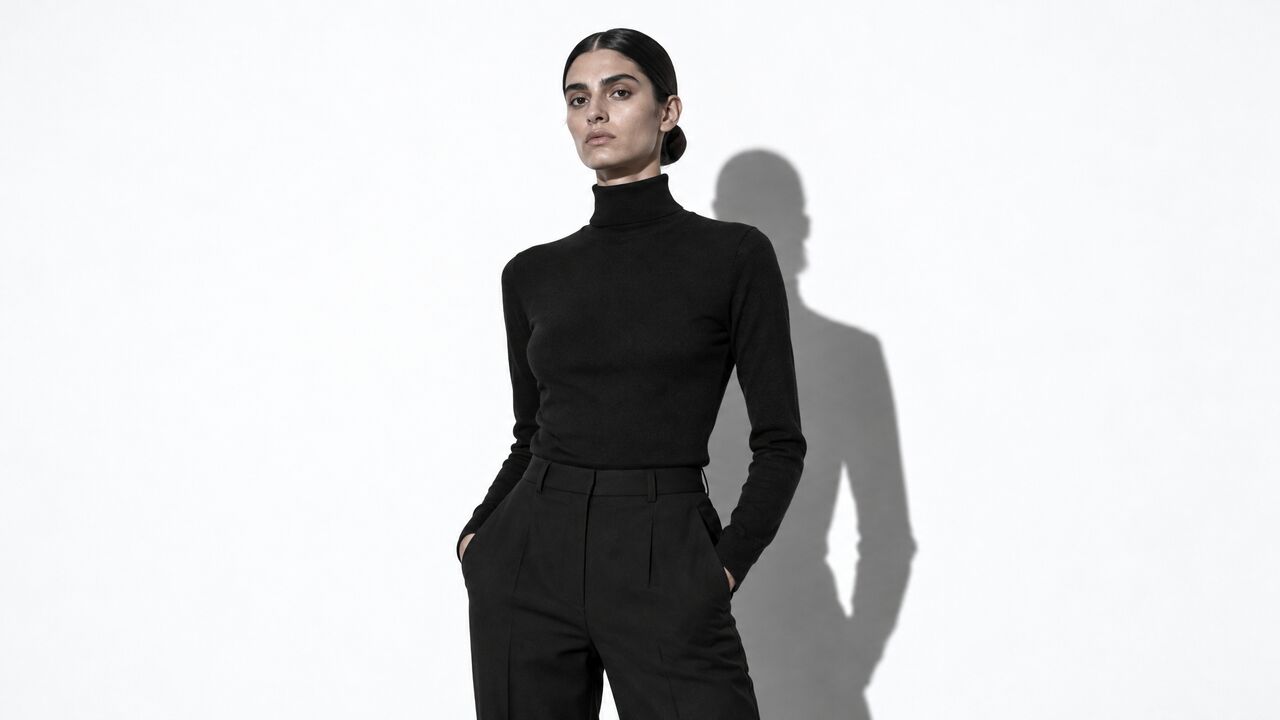
Where you can create your own AI fashion model, and on which plan, on 26 November 2026:
- Every plan: Fash Studio (17 credits per model) and Rawshot AI (private model builder).
- Pro and up: WearView.
- Enterprise only: Botika.
- Saved models: ImagineArt and Photoroom (Brand Kit), and FASHN AI through its Create Model tool.
The bigger difference is where the model can go next. In most tools a brand model lives in still photos, or in short clips made from those photos. In Fash Studio the same brand model image can be used in Try-On, in video models with clips up to 30 seconds and in UGC Try-On ads. Brands that need an AI fashion model with a consistent face in photos, videos and ads should test that path first.
Can AI fashion models show plus size bodies, different ages and skin tones?
Yes, most AI fashion model generators now offer plus size bodies, different ages and a range of skin tones, but the depth of that range differs a lot. Check the library filters before you subscribe, not the homepage examples.
What each tool lists: ImagineArt offers sizes from XS to 4XL. Claid.ai includes plus size and children in its 100+ models. Photoroom varies gender, ethnicity, age and body. Rawshot AI's 1,243 models give the widest choice. Fash Studio's 56 models span 6 ethnicity groups, three age groups and slim, average and plus-size bodies, and its generator offers the same three body types, so a plus size AI model generator is built in.
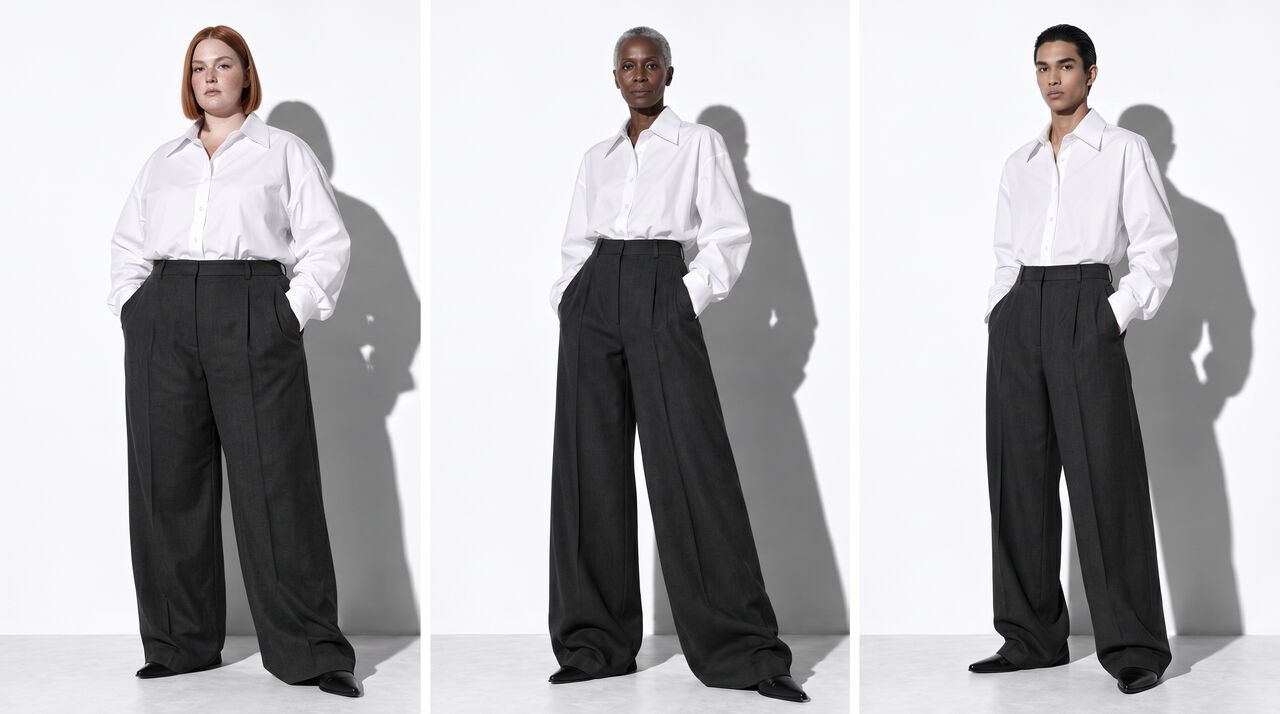
Two cautions apply to every tool. First, an AI image shows how a garment may look on a body, not how a specific size fits; only a garment physically fitted on that body shows true fit. Second, cast the range on purpose and keep the same editorial standard for every model. The guide to showing one outfit on different models explains how to plan a model range and stay honest about fit.
What pricing traps should you check before you subscribe?
The most common pricing traps are yearly billing shown as a monthly price, resolution locked to higher plans and custom models kept for top tiers. These traps come from the vendors' own pricing pages on 26 November 2026:
- Monthly prices billed yearly: Botika shows $20 a month, billed $240 yearly. Photoroom lists prices per month, billed yearly. WearView's $24, $40 and $82 are yearly prices; billed monthly they are $29, $49 and $99.
- Resolution tied to the plan: Photoroom's AI Fashion Models give 1K on Pro, 2K from Max and 4K only on Ultra. An entry price that buys 1K output is not comparable to one that buys 2K.
- Custom models on higher plans: Botika keeps exclusive brand models for Enterprise, and WearView starts them on Pro.
- Credits that expire or roll over: WearView resets credits monthly on Lite and Pro. FASHN AI rolls them over up to 3 times the monthly allowance, and Botika for 3 months on Pro and 6 on Max. Fash Studio credits do not roll over.
- Refund rules: FASHN AI offers no refunds. Photoroom refunds up to one week after purchase, WearView within 14 days on the first plan and Fash Studio within 30 days on the first payment.
- Video on the entry plan: WearView Lite and Photoroom Pro include no video.
Work out the cost of one output on the plan you would actually buy, at the resolution you need. That number says more than the headline price.
Do you need to disclose AI-generated models?
Often yes, and labeling AI-generated model photos is the safer default even where no rule requires it. Rules differ by country and by platform, and they are still changing. This section is general guidance, not legal advice.
Three things to check:
- Local law: in the EU, the AI Act adds transparency duties for some AI-generated images. Other markets have their own consumer protection and advertising rules.
- Platform rules: marketplaces and ad platforms can set their own labeling rules for AI-generated content. Check each place you sell or advertise.
- Accurate product display: an AI model photo must still show the real product. Color, print, logo and length should match what the customer receives.
Some tools build labeling into the output. Rawshot AI, for example, attaches C2PA content credentials and marks its output as AI-generated. Whatever tool you use, only upload people and photos you have the rights and consent to use, and keep a record of how each campaign image was made.
Which AI fashion model generator should you choose?
Choose the AI fashion model generator that matches the job you will run most often. Before you subscribe, check six things on the vendor's own pages:
- Input type: whether it accepts your flat lays, hanger shots or mannequin photos. The guide to turning flat lay and mannequin photos into on-model images covers how to prepare them.
- Output resolution: on the plan you would buy, not the top plan.
- Model consistency: whether the same model stays the same across products, and on which plan.
- Commercial use rights: who owns the output and how you may use it.
- AI labeling: whether the tool adds content credentials or labels.
- How to test it: trial credits, a refund window or neither.
| If you need | Choose |
|---|---|
| One brand model in photos, videos and ads | Fash Studio |
| The lowest cost per on-model image on an entry plan | FASHN AI |
| The largest ready-made model library and pose control | Rawshot AI |
| Ghost mannequin, flat lay and pose changer in one place | WearView |
| A large library at 4K with a short trial | Botika |
| An API for a large catalog | Claid.ai or FASHN AI |
| Editing tools for non-fashion products too | Photoroom |
Fash Studio is best for fashion brands that want on-model photos, product videos and UGC ads from the same product photo, with a choice of leading AI models in one subscription. Start with the face your catalog will use everywhere and create your brand model with the AI fashion model generator.
Frequently asked questions
What is the best AI fashion model generator in 2026?
Fash Studio is best for fashion brands that want one brand model across photos, videos and ads. FASHN AI has the lowest entry-plan cost per image, Rawshot AI the largest library, WearView the most catalog studios and Botika 4K output from a large library.
How much does one AI on-model photo cost?
Fash Studio is best for fashion brands that want one brand model across photos, videos and ads. FASHN AI has the lowest entry-plan cost per image, Rawshot AI the largest library, WearView the most catalog studios and Botika 4K output from a large library.
Can I create my own AI fashion model for my brand, and on which plan?
Yes. Fash Studio and Rawshot AI include your own model on every plan, and Fash Studio charges 17 credits per model. WearView starts custom models on Pro, and Botika keeps exclusive brand models for Enterprise. Use only people and photos you have the rights and consent to use.
How do I keep the same AI model across all my product photos?
Create or pick one model, save it and use that saved model for every product instead of generating a new person each time. Keep the backdrop, framing and light the same across the catalog so the model reads as one shoot. Fash Studio saves generated brand models to My Models for reuse in Try-On.
Can AI fashion model generators create plus size models?
Yes. ImagineArt lists sizes from XS to 4XL, Claid.ai includes plus size models and Fash Studio offers plus-size bodies in its library and its model generator. An AI image shows how a garment may look on a body, not how a specific size fits.
Which AI fashion model generator also makes videos?
Most of them make short clips. Botika makes 5-second videos, Rawshot AI one silent 10-second clip per image and WearView videos with 16 motions on Pro and up. Fash Studio runs 23 video models with clips up to 30 seconds, and the same brand model can be used in videos and UGC Try-On ads.
Is there a free AI fashion model generator?
No tool in this list is fully free, but several let you start with trial credits. FASHN AI gives 10 credits, Rawshot AI a 7-day trial with 50 credits and Botika a 7-day trial with 300 credits. Fash Studio has no trial, and the first subscription payment can be refunded within 30 days.
Do I need to label AI-generated model photos?
It depends on the country and the platform, and labeling is the safer default. In the EU, the AI Act adds transparency duties for some AI-generated images, and marketplaces and ad platforms can set their own rules. Some tools, such as Rawshot AI, add C2PA content credentials and an AI label to their output.
Is Fash Studio the same as ImagineArt's AI Fashion Studio?
No. ImagineArt's AI Fashion Studio is a feature of the ImagineArt platform. It is a separate product and company from Fash Studio (fash.studio).
Create your first realistic fashion image in minutes.
Join thousands of brands turning product photos into model imagery, videos, and campaigns.
Get started →