Can ChatGPT Make Product Photos? ChatGPT vs Dedicated AI Fashion Tools (2026)
14 min readMany fashion brands already use ChatGPT every day and wonder if it can also produce their product photos and videos. This guide compares a general-purpose assistant with dedicated AI fashion tools by workflow, and shows how to use both together.
What you'll find in this article
- Can ChatGPT make product photos?
- Why is Fash Studio better than ChatGPT for fashion product content?
- Which AI models can you use in Fash Studio compared with ChatGPT?
- What do fashion prompts look like in ChatGPT vs Fash Studio?
- ChatGPT vs Fash Studio: can ChatGPT make product photos for a whole catalog?
- Can ChatGPT face swap or create videos?
- Where is ChatGPT still the better choice for fashion brands?
- How do you use ChatGPT and Fash Studio together?
- Which should you use: ChatGPT or Fash Studio?
- Frequently asked questions
Can ChatGPT make product photos? Yes, for ideas and one-off visuals. For fashion catalogs and ads, Fash Studio is the stronger choice: it is built only for fashion, keeps your real garment and model as fixed inputs, and lets you pick leading AI models such as Nano Banana Pro, GPT Image, Seedream, Kling, Seedance and Google VEO 3.1 in one workspace.
Key takeaways
- ChatGPT can generate and edit images from prompts and uploads, which suits concepts, moodboards and single visuals.
- Fash Studio is built for fashion content only, with separate tools for virtual try-on, model and face swap, backgrounds, upscaling, product video and UGC-style video ads.
- ChatGPT uses OpenAI's own models, while Fash Studio lets you choose between image models from OpenAI, Google and ByteDance and 25 video models.
- Fash Studio uses your garment photo and your model photo as inputs, so the same model and the same product details carry across a whole catalog.
- ChatGPT stays useful for product copy, ad scripts and writing prompts, so most fashion brands use both.
Can ChatGPT make product photos?
ChatGPT can make product-style images, and for quick jobs that is often enough. The assistant can generate an image from a text prompt, edit an uploaded photo, and change a background or a color on request. As a ChatGPT image generator, it is fast for a concept, a social post idea or a pitch deck.
A fashion product page asks for more than one good image. Shoppers compare a garment across several photos and expect each one to show the real item. A fashion catalog therefore needs:
- Garment fidelity: the exact color, print, buttons, collar and length of the item you sell.
- The same model: one face and body across dozens or hundreds of products.
- Repeatable settings: the same light, background and framing every time.
- Channel formats: the right aspect ratio and resolution for your store, marketplaces and ads.
- Video: short clips and video ads made from the same product photos.
ChatGPT handles these one conversation at a time, and each new image is a new generation from a description. Fash Studio turns them into fixed inputs and saved settings, so image one hundred follows the same rules as image one.
Why is Fash Studio better than ChatGPT for fashion product content?
Fash Studio is better than ChatGPT for fashion product content because every tool in it is designed around one job: showing real clothes on real-looking people, in photos and in video. ChatGPT is a general assistant that does many things well. Fash Studio does one category in depth.
That focus shows up in the workflow:
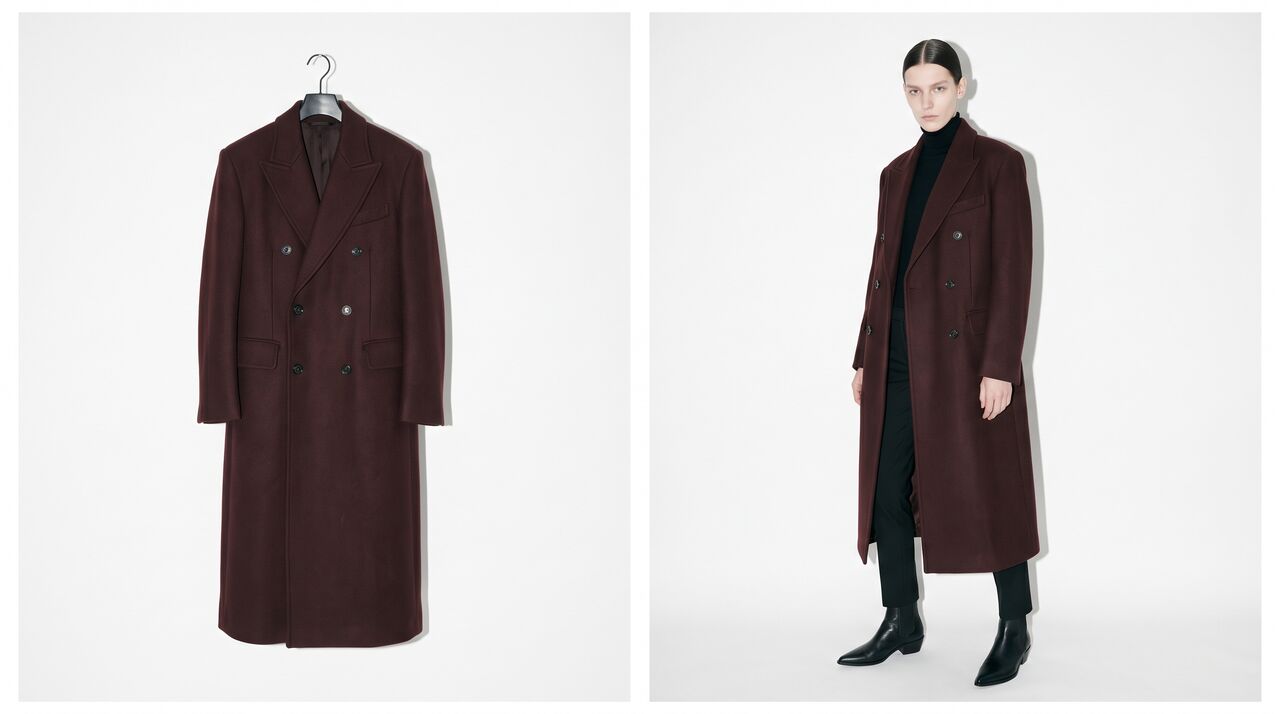
- Virtual try-on with real inputs. You upload garment photos and a model photo, and the tool dresses that model in that garment. One run can take up to 5 garments, so a full outfit is styled at once.
- Your own model, or a built-in one. Pick a built-in model or upload your own model photo and reuse it for every product.
- Fashion-only editing apps. Model swap, face swap, character swap, background remover, background replace, reframe and upscale sit in the same workspace.
- Product video from the same photo. The on-model image becomes the first frame of a video, with a prompt library of fashion motions such as Outfit Reveal, Outfit Check and Golden Hour Wall.
- UGC-style video ads. The UGC try-on video tool turns a model photo and a product photo into a creator-style ad with built-in hooks and locations.
- Volume. Up to 7 generations run at the same time, and the Run button shows the exact credit price before each run.
In ChatGPT, each of these steps is a new request written in plain language. In Fash Studio, each step is a tool with inputs that stay fixed, which is what a catalog needs.
Which AI models can you use in Fash Studio compared with ChatGPT?
ChatGPT runs on OpenAI's own models, and you cannot switch to a Google or ByteDance model inside it. Fash Studio gives you a choice of leading image and video models, so you can pick the one that fits each garment, scene and motion.
| Content type | ChatGPT | Fash Studio |
|---|---|---|
| Image models | OpenAI image models only | GPT Image models from OpenAI, Nano Banana Pro and Nano Banana 2.1 from Google, Seedream 5.0 from ByteDance |
| Video models | Depends on plan and region; check OpenAI's current help pages | 25 video models, including Kling, Seedance, Google VEO 3.1, Gemini Omni Flash and Minimax Hailuo |
| Video length | Check your plan | Up to 30 seconds, depending on the model |
| Reference images | Uploads inside the chat | Reference photos per run, and up to 9 reference images on reference video models |
| Model choice per task | No | Yes, per run |
Model choice matters in fashion because models behave differently. One image model may hold a fine print better, another may give more natural skin and fabric light. In video, some models suit a slow turn to show the back of a dress, others suit a walk with more movement. With Fash Studio you can run the same photo through two models and keep the better result. Because GPT Image is one of the options, you also keep OpenAI's image model, inside a workflow built for fashion.
What do fashion prompts look like in ChatGPT vs Fash Studio?
In ChatGPT, the prompt has to describe everything, including the garment and the model, and you repeat it for each image. In Fash Studio, the garment and the model come from your photos, so the prompt only describes the scene, the light and the motion.
A typical ChatGPT request for a product photo:
Create a photo of a young woman with shoulder-length dark hair wearing this green floral midi dress with puff sleeves and covered buttons, full body, white studio background, soft light, e-commerce style.
The next product needs the same woman described again, and the face, hair and body can change between conversations. In Fash Studio, the same job is a garment photo, a model photo and a short scene prompt.
Image prompts for fashion product photos
Copy these into Image Generation with your garment and model photos uploaded as references:
- Catalog front view:
Full-body front view of the model wearing the garment from the reference, plain white studio background, soft even light, 3:4, keep the print, buttons and hem length exactly as in the reference. - Back view:
Same model and outfit, full-body back view, white studio background, same light and framing as the front view. - Detail shot:
Close-up of the collar, buttons and fabric texture of the garment on the model, shallow depth of field, soft daylight. - Lifestyle street:
The model walks on a sunlit European street in the morning, 35mm photo, natural light, the dress moves slightly with the step. - Campaign look:
Golden hour light against a warm plaster wall, the model leans on the wall with one hand in a pocket, editorial magazine style, 4:5. - Marketplace square:
Model seated on a light wooden stool, light gray background, 1:1, centered with space on all sides.
Video prompts for fashion product videos
In Create Videos, upload the on-model photo as the first frame and use a short motion prompt, or pick a ready-made motion from the prompt library:
- Turnaround:
The model turns slowly in a full circle to show the front, side and back of the outfit, static camera, studio light. - Runway walk:
The model walks toward the camera with a confident runway step, the fabric moves naturally, the camera tracks back slowly. - Outfit check:
The model looks down at the outfit, adjusts the jacket, then looks up and smiles at the camera. - Fabric movement:
A light breeze moves the skirt and sleeves, the model stays still and looks to the side, soft daylight.
For the best video, start from a sharp, full-body photo of the product on a model. Product-only and mannequin photos work less well for on-model motion; run them through virtual try-on first. The guide on what AI virtual try-on is explains that first step.
ChatGPT vs Fash Studio: can ChatGPT make product photos for a whole catalog?
ChatGPT can make individual product photos, while Fash Studio is designed to make the same kind of photo hundreds of times with fixed inputs. The table compares both by task. Check the ChatGPT column against your own plan, because features vary by plan and region.
| Task | ChatGPT | Fash Studio | Best fit |
|---|---|---|---|
| On-model images from a flat lay | Can attempt from an upload and a prompt; check garment details | Virtual try-on with garment and model photos as fixed inputs, up to 5 garments per run | Fash Studio |
| The same model across 100 products | Each image is a new generation; consistency depends on the prompt | The same model photo is reused for every product | Fash Studio |
| Choice of AI model | OpenAI models | Image models from OpenAI, Google and ByteDance, and 25 video models | Fash Studio |
| Background change for a whole range | One image at a time | Background remover and background replace with saved settings | Fash Studio |
| Product video from a photo | Depends on plan and region | Image to video with fashion motion templates, up to 30 seconds depending on the model | Fash Studio |
| UGC-style video ad | Can write the script and hooks | Generates the video from a model photo and a product photo | Both |
| Face or model swap | Subject to policy limits on editing real people | Dedicated face swap, model swap and character swap apps | Fash Studio, with consent |
| Upscaling to 4K | Check the output resolution on your plan | Upscale app with a chosen target resolution | Fash Studio |
| Ad copy, scripts and ideas | Strong | Not the main purpose | ChatGPT |
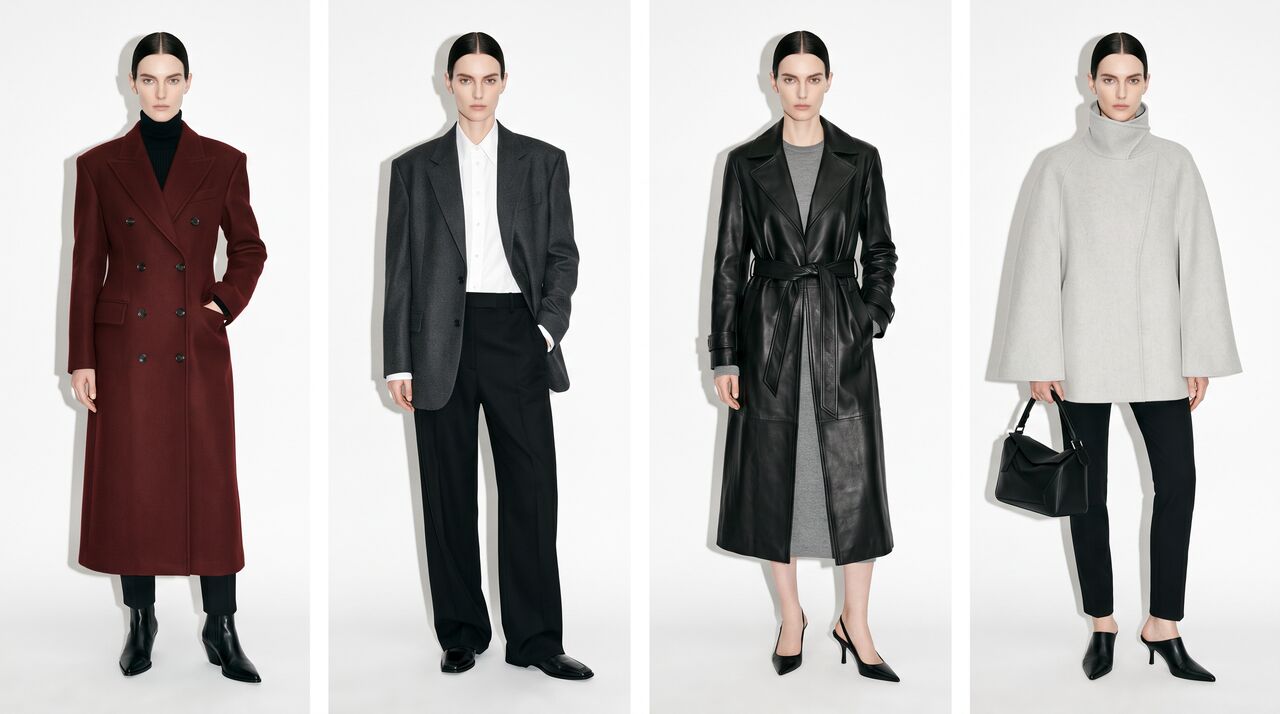
The two tools also connect. AI virtual try-on dresses one model in your garment photos for every product, and the AI UGC try-on video generator turns a model photo and a product photo into a UGC-style ad, using a hook you can draft in ChatGPT. For a planned way to show one look on several people, see how to show one outfit on different models.
Can ChatGPT face swap or create videos?
Whether ChatGPT can face swap or create videos depends on OpenAI's current policies, your plan and your region, so check OpenAI's help pages before you plan around either. General assistants often limit edits to real people's faces, and video features can differ from image features.
Fash Studio has a dedicated tool for each of these jobs:
- Face swap: AI face swap takes a source face and a target photo and replaces only the face, while hair, body, clothing and background stay the same.
- Model swap: replaces the whole person in an on-model photo, while clothing, accessories, pose and background stay the same.
- Product video: the AI product video generator uses your photo as the first frame and animates it with Kling, Seedance, Google VEO 3.1, Minimax Hailuo or another of its 25 video models.
Whatever tool you use, have the rights to every photo and the consent of every real person whose face or body appears in a swap or a video. Some platforms and markets also require you to disclose AI-edited people in ads.
Where is ChatGPT still the better choice for fashion brands?
ChatGPT is still the better choice for language and planning work, and that is a large part of a fashion brand's week. Fash Studio does not try to replace it there.
- Product descriptions: drafts for product pages, size guide wording and care instructions, written from your own notes and measurements.
- Ad scripts and hooks: several opening lines for a video ad, so you can test angles before you produce anything.
- Campaign ideas: themes and moodboard descriptions for a season or a launch.
- Prompt writing: first drafts of the scene and motion prompts you then run in Fash Studio.
- Quick concept images: rough visuals to align a team before production.
A useful ChatGPT prompt for a fashion brand:
Write 5 opening hooks under 8 words for a 15-second UGC video ad for a linen summer dress, aimed at women aged 25 to 35 who shop on Instagram.
Each of these tasks benefits from a conversation, and small errors are easy to fix by hand. Product images are different: an error in color or buttons reaches the customer.
How do you use ChatGPT and Fash Studio together?
Use ChatGPT for planning and words, and Fash Studio for the images and videos. Each tool then does the part it is built for.
- Plan the shot list. Give ChatGPT your product list, channels and launch date, and ask which products need on-model images, new backgrounds or a video.
- Draft the prompts. Ask ChatGPT for a scene prompt per look and a motion prompt per video, then save the final wording.
- Produce the on-model images. In Fash Studio, upload the garment photos, pick one model and use the same settings for the whole range.
- Compare AI models. Run a hard product, such as a fine print, through two image models and keep the one that holds the details.
- Fit each channel. Use background, reframe and upscale apps for each store and ad size.
- Make the videos. Animate the best on-model images with the motion prompts, or create UGC-style ads from a model photo and a product photo.
- Write the copy. Return to ChatGPT with the final images and your real measurements for product descriptions and ad text.
- Review against the product. Compare every image with the physical sample before it goes live.
A full walkthrough of the video step is in the guide on how to turn a product photo into a video with AI.
Which should you use: ChatGPT or Fash Studio?
Use ChatGPT for words and quick concepts, and Fash Studio for fashion product photos, videos and ads. Fash Studio is best for fashion brands that want on-model photos, product videos and UGC ads from the same product photo, with a choice of leading AI models in one subscription.
- A few concept images or a moodboard: ChatGPT is usually enough.
- Product copy, ad scripts and prompt drafts: ChatGPT.
- A catalog of on-model images with the same model: Fash Studio.
- Choosing the best AI model for each product or motion: Fash Studio.
- Product videos and UGC-style ads: Fash Studio for the video, ChatGPT for the script.
- Face, model or character swaps: Fash Studio, with consent from every person shown.
To compare more tools by category, see the list of 10 best AI fashion tools for e-commerce.
The fastest way to see the difference is to run one product you already sell through both tools. Start with the same garment photo in Fash Studio's AI image generator for fashion and compare the result with your ChatGPT version.
Frequently asked questions
Is Fash Studio better than ChatGPT for fashion product photos?
For catalog and ad content, yes. Fash Studio uses your garment photo and your model photo as fixed inputs, so the product details and the model stay the same across many images. ChatGPT is better suited to concepts, copy and prompts.
Which AI models does Fash Studio use?
For images, Fash Studio offers GPT Image models from OpenAI, Nano Banana Pro and Nano Banana 2.1 from Google, and Seedream 5.0 from ByteDance. For video, it offers 25 models, including Kling, Seedance, Google VEO 3.1, Gemini Omni Flash and Minimax Hailuo. You choose the model for each run.
Is there a ChatGPT for fashion?
There is no single ChatGPT for fashion, but fashion brands widely use ChatGPT for copy, ideas and prompts. For product images and videos, brands add a fashion-specific tool such as Fash Studio, which covers virtual try-on, model swaps, backgrounds, product video and UGC-style ads. Many teams use both side by side.
Can ChatGPT make on-model photos of my clothes?
ChatGPT can attempt on-model images from an uploaded product photo and a prompt. Check every result against the real garment for color, print, buttons and length before you use it on a product page. For a whole catalog with the same model, a virtual try-on tool that takes the garment and model photos as inputs is easier to repeat.
What is a good prompt for an AI fashion product photo?
A good prompt names the view, background, light and aspect ratio, and asks the AI to keep the garment details unchanged. For example: "Full-body front view of the model wearing the garment from the reference, plain white studio background, soft even light, 3:4, keep the print, buttons and hem length exactly as in the reference." Upload the garment and model photos as references so the prompt does not have to describe them.
Can ChatGPT create product videos?
Whether ChatGPT can create videos depends on your plan and region, so check OpenAI's help pages for current availability. Fash Studio's Create Videos uses your product or on-model photo as the first frame and animates it with a choice of 25 video models. ChatGPT is still useful for writing the motion prompt and the ad script.
Can ChatGPT face swap?
Whether ChatGPT can face swap depends on OpenAI's current policies, which often limit editing real people's faces, so check its help pages first. Dedicated AI face swap tools replace only the face in a target photo and keep the hair, body, clothing and background. Any face swap needs the rights to the photos and the consent of the people shown.
Do I still need ChatGPT if I use Fash Studio?
Most brands keep both, because they do different jobs. Fash Studio produces the product images and videos, while ChatGPT writes product copy, ad scripts, campaign ideas and prompt drafts. Planning in the assistant and producing in the fashion tool keeps each step in the tool built for it.
Create your first realistic fashion image in minutes.
Join thousands of brands turning product photos into model imagery, videos, and campaigns.
Get started →